<?xml version="1.0" encoding="utf-8"?>
<rss version="2.0" xmlns:content="http://purl.org/rss/1.0/modules/content/">
	<channel>
		
		<title>3Dx: Press Room</title>
		<link>http://www.3dconnexion.com/</link>
		<description>Latest Press Releases from 3Dx</description>
		<language>en</language>
		<image>
			<title>3Dx: Press Room</title>
			<url>http://www.3dconnexion.com/EXT:tt_news/ext_icon.gif</url>
			<link>http://www.3dconnexion.com/</link>
			<width></width>
			<height></height>
			<description>Latest Press Releases from 3Dx</description>
		</image>
		<generator>TYPO3 - get.content.right</generator>
		<docs>http://blogs.law.harvard.edu/tech/rss</docs>


		<lastBuildDate>Sun, 16 Mar 2014 23:00:00 +0100</lastBuildDate>
		
		
		<item>
			<title>3Dconnexion wins “red dot award: product design 2013”</title>
			<link>http://www.3dconnexion.com/nc/company/press-room/pressdetail/article/3dconnexion-wins-red-dot-award-product-design-2013.html</link>
			<description>SpaceMouse Pro stands apart among more than 4,500 products for its superior design quality</description>
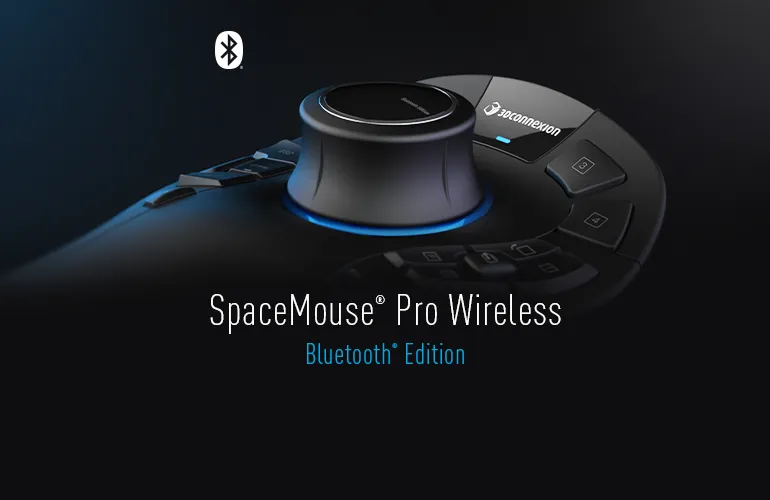
			<content:encoded><![CDATA[<p class=" "><span lang="EN-GB">3Dconnexion’s <a href="/products/spacemousepro.html" >SpaceMouse Pro 3D mouse</a> has received a <a href="http://red-dot.de/pd/?lang=en" target="_blank" >red&nbsp;dot award: product design 2013</a>, one of the largest and most prestigious design contests in the world. The SpaceMouse Pro, 3Dconnexion’s newest 3D mouse, impressed the 37-strong jury, which reviewed more than 4,500 products in 19 categories. </span></p>
<p class=" "><span lang="EN-GB">This year’s red dot awards will be presented at the annual red dot gala on 1 July 2013 at Essen’s opera house, the Aalto theatre. The SpaceMouse Pro will then be exhibited in Essen's <a href="http://de.red-dot.org/371.html" target="_blank" >red dot design museum</a> from 2-28 July, where visitors can learn about the latest product design trends and experience prize-winning products first-hand.</span></p>
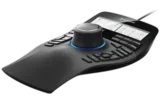
<p class=" "><span lang="EN-GB">The SpaceMouse Pro design was jointly developed by 3Dconnexion and <a href="http://www.designpartners.com/" target="_blank" >Design Partners</a>, 3Dconnexion’s product design agency, in close cooperation with users. Its stylish, functional and ergonomic design is tailored to the needs of CAD professionals that work with 3D models on a daily basis. For example:</span></p><ul><li><span lang="EN-GB">The <a href="http://www.youtube.com/watch?v=ySLfuQc-j5U" target="_blank" >3Dconnexion Controller Cap</a>, allows users to simultaneously pan, zoom and rotate 3D objects, offering smooth and intuitive navigation. </span> </li></ul><ul><li><span lang="EN-GB">The full size hand rest ensures the optimum hand position, allowing users to operate the 3D mouse comfortably, even during the longest working sessions. </span></li></ul><ul><li><span lang="EN-GB">All fifteen ergonomically shaped buttons programmable and positioned for fingertip access. </span></li></ul><p class=" "><span lang="EN-GB">&nbsp;</span><span lang="EN-GB">As a winning design this year, the SpaceMouse&nbsp;Pro is following in the footsteps of the original 3Dconnexion 3D mouse model, the SpaceMouse&nbsp;Plus, which won the red&nbsp;dot award back in 1995. </span> </p>
<p class=" "><span lang="EN-GB">“We are very proud to receive this award for the second time, as it acknowledges the effort we invest in our design work,” says Antonio Pascucci, vice president, products at 3Dconnexion. “We strive on a daily basis to retain a competitive edge by continuously improving products to optimise our customers’ design processes. SpaceMouse&nbsp;Pro is a perfect example of this. Its ergonomically optimised design, intelligent control, and intuitive operation meet all requirements of the most sophisticated 3D workflows.”</span></p>

<p class=" "><span lang="EN-GB">Prof. Dr. Peter Zec, founder and CEO of red dot, believes that design competency and economic success go hand in hand: “The winners of this year's red dot award: product design are pioneers of a cutting-edge design culture and industry. It is becoming increasingly difficult to differentiate between products that are both well developed and well designed. Often, their unique qualities are only discernable in the details. However, it is precisely those products that excel when examined by the critical eyes of our jury that will stand out from the crowd in the global marketplace.”</span></p>
<p class=" "><b><span lang="EN-US">About 3Dconnexion</span></b></p>
<p class=" "><span lang="EN-US">3Dconnexion makes 3D mice that revolutionize the way people interact with 3D applications, providing a more natural and intuitive way to interact with digital 3D content. By gently manipulating the controller cap, 3D mouse users can simultaneously pan, zoom and rotate their 3D models or camera position while using the standard mouse or tablet to select, create and edit.</span></p>
<p class=" "><span lang="EN-US">It’s an intuitive, balanced and cooperative work style that results in increased productivity, improvements in creativity and enhanced comfort.</span></p>
<p class=" "><span lang="EN-US">Supported by today’s most popular and powerful 3D applications, 3Dconnexion’s award-winning 3D mice serve a wide variety of industries and are used by engineers, designers, architects and artists across the globe.</span><span lang="EN-US">&nbsp;</span> </p>
<p class=" "><span lang="EN-US">3Dconnexion’s North American headquarters are in Boston, Mass., with offices worldwide. Stay up-to-date with all the latest company and industry news via&nbsp;<a href="http://www.facebook.com/3Dconnexion" title="Opens external link in new window" target="_blank" >Facebook</a>&nbsp;and&nbsp;<a href="http://twitter.com/3Dconnexion" target="_blank" >Twitter</a>.</span></p>]]></content:encoded>
			
			
			<pubDate>Wed, 15 May 2013 15:36:00 +0200</pubDate>
			
		</item>
		
		<item>
			<title>3Dconnexion Announces Enhanced 3D Mouse Support in Rhino 5</title>
			<link>http://www.3dconnexion.com/nc/company/press-room/pressdetail/article/3dconnexion-announces-enhanced-3d-mouse-support-in-rhino-5.html</link>
			<description>Rhino users rejoice; the latest software version, Rhino 5, is compatable out-of-the-box with all...</description>
			<content:encoded><![CDATA[<p class="FreeForm"><span lang="EN-US">From illustration and animation to engineering and product design, incorporating a 3D mouse in the design process <a href="/supported-software/mechanical-engineering/rhino.html" >helps Rhino users create a more natural connection to their 3D content</a>.</span></p>
<p class=" "><b><span lang="EN-US">Unleash the Power of Rhino</span></b></p>
<p class=" "><span lang="EN-US">A 3D mouse provides Rhino 5 users an incomparable level of design interaction, making it a rewarding and time-saving tool. With the latest version of Rhino, users of 3Dconnexion 3D mice will see improvements in the following feature areas:</span></p><ul type="disc"><li class=" " style="line-height:15.0pt"><b><span lang="EN-US">Intelligent 3D Navigation</span></b><span lang="EN-US">—Whether      working with larger models or focusing on intricate details, the 3D mouse      automatically follows a point of interest to continuously determine the      optimal center of rotation. Alternatively, users can easily choose to      rotate around a selected item. </span></li><li class=" " style="line-height:15.0pt"><b><span lang="EN-US">Enhanced      Camera Navigation—</span></b><span lang="EN-US">The 3Dconnexion controller cap allows users to      manipulate models comfortably in<span>      any of three navigation modes: Camera, Target Camera or Helicopter. </span></span></li><li class=" " style="line-height:15.0pt"><b><span lang="EN-US">Customizable      Buttons</span></b><span lang="EN-US">—</span><span lang="EN-US">With Rhino 5’s new      3D mouse button mapping editor, it’s quick and easy to assign commonly-used      commands to the 3D mouse function keys, saving time, and reducing keyboard      and standard mouse use.</span></li></ul><p class="bodytext">“Rhino 5 includes a significantly improved 3Dconnexion 3D mouse integration making 3D navigation a much richer experience.” says Carlos Perez Alba, EMEA Sales &amp; Marketing Manager at McNeel Europe. “Users who integrate Rhino 5 with a 3Dconnexion mouse can take advantage of the updated navigation features, allowing them to design, view and position their<i><span lang="EN-US"> digital content faster than ever.&quot;</span></i> </p>
<p class="FreeForm"><span lang="EN-US"><a href="http://www.youtube.com/watch?feature=player_embedded&amp;v=im-rbynZgZA" target="_blank" >View a quick video</a></span><span lang="EN-US"> to learn more about how to enhance Rhino 5 using a 3D mouse.</span></p>
<p class=" "><span lang="EN-US">Rhino 5 is compatible with the entire 3Dconnexion product line, including the <a href="/products/spacepilot-pro.html" >SpacePilot Pro</a>, <a href="/products/spacemousepro.html" title="Opens internal link in current window" target="_blank" class="internal-link" >SpaceMouse Pro</a></span>, <a href="/products/spacenavigator.html" >SpaceNavigator</a> and <a href="/products/spacenavigator-for-notebooks.html" >SpaceNavigator for Notebooks</a>. </p>
<p class="FreeForm"><b><span lang="EN-US">About 3Dconnexion</span></b></p>
<p class="FreeForm"><span lang="EN-US">3Dconnexion makes 3D mice that revolutionize the way people interact with 3D applications, providing a more natural and intuitive way to interact with digital 3D content. By gently manipulating the controller cap, 3D mouse users can simultaneously pan, zoom and rotate their 3D models or camera position while using the standard mouse or tablet to select, create and edit. </span></p>
<p class="bodytext">It’s an intuitive, balanced and cooperative work style that results in increased productivity, improvements in creativity and enhanced comfort.<span lang="EN-US"></span></p>
<p class="bodytext"><span lang="EN-US">Supported by today’s most popular and powerful 3D applications, 3Dconnexion’s award-winning 3D mice serve a wide variety of industries and are used by engineers, designers, architects and artists across the globe.</span> </p>
<p class="FreeForm"><span lang="EN-US">3Dconnexion’s North American headquarters are in Boston, Mass., with offices worldwide. Stay up-to-date with all the latest company and industry news via <a href="http://www.facebook.com/3Dconnexion" title="Opens external link in new window" target="_blank" class="external-link-new-window" >Facebook</a> </span>and <a href="http://twitter.com/3Dconnexion" target="_blank" >Twitter</a>.</p>]]></content:encoded>
			
			
			<pubDate>Thu, 21 Feb 2013 14:09:00 +0100</pubDate>
			
		</item>
		
		<item>
			<title>3Dconnexion Extends 3D Mouse Support With New Windows Driver</title>
			<link>http://www.3dconnexion.com/nc/company/press-room/pressdetail/article/3dconnexion-extends-superior-3d-navigation-to-autodesk-inventor-2013.html</link>
			<description>New driver delivers support for Windows 8, SolidWorks 2013, Siemens PLM NX 8.5 and Solid Edge ST 5....</description>
			<content:encoded><![CDATA[<p class="bodytext">3Dconnexion, creator of 3D mice for design and visualization professionals, has released Windows driver 3.16.1, which offers official support for Microsoft Windows 8, SolidWorks 2013, Siemens PLM Software NX 8.5 and Siemens PLM Software Solid Edge ST5. <br /><br />The new driver is compatible with all currently supported 3Dconnexion mice, including the SpaceExplorer, <a href="/products/spacemousepro.html" title="Opens internal link in current window" class="internal-link" >SpaceMouse Pro</a>, <a href="/products/spacenavigator.html" title="Opens internal link in current window" class="internal-link" >SpaceNavigator</a>, <a href="/products/spacenavigator-for-notebooks.html" title="Opens internal link in current window" class="internal-link" >SpaceNavigator for Notebooks</a>, <a href="/products/spacepilot-pro.html" title="Opens internal link in current window" class="internal-link" >SpacePilot Pro</a> and SpacePilot.<br /><br />Download the new driver <a href="/service/drivers.html" title="Opens internal link in current window" class="internal-link" >here</a>. <br /><br /><b>3D Intelligence and Navigation Are Better Than Ever</b><br />With the update, users of 3Dconnexion 3D mice will also see performance and stability improvements in plug-ins for:</p><ul><li>Autodesk 3ds Max and 3ds Max Design, Maya and Softimage</li><li>Dassault Systèmes SolidWorks </li><li>Siemens PLM Software NX and Solid Edge, and </li><li>Adobe Photoshop</li></ul><p class="bodytext">In addition, the updated driver enables advanced button configuration in Sketch mode in NX.</p>
<p class="bodytext"><b>AutoCAD 2013 Hotfix</b></p>
<p class="bodytext">On the subject of enhancements: AutoDesk recently released a <a href="http://www.3dx.com/acad2013hotfix" title="Opens external link in new window" target="_blank" class="external-link-new-window" >hotfix for AutoCAD 2013</a> to correct problems that some 3Dconnexion mouse users were experiencing within the software, including zoom speed variations and pivot point positioning. <a href="http://www.3dx.com/acad2013hotfix" title="Opens external link in new window" target="_blank" class="external-link-new-window" >Download the update here</a>. </p>
<p class="bodytext"><a href="http://www.youtube.com/watch?v=XccJFCZsARw&amp;list=PLB1D19FBABCE5C1C4&amp;index=1&amp;feature=plcp" title="Opens external link in new window" target="_blank" class="external-link-new-window" >View a quick video</a> to learn more about how to enhance work with 2D content in AutoCAD 2013 using a 3D mouse.</p>
<p class="bodytext"><b>About 3Dconnexion</b></p>
<p class="bodytext"><b> </b>3Dconnexion makes 3D mice that revolutionize the way people interact with 3D applications, providing a more natural and intuitive way to interact with digital 3D content. By gently manipulating the controller cap, 3D mouse users can simultaneously pan, zoom and rotate their 3D models or camera position while using the standard mouse or tablet to select, create and edit.</p>
<p class="bodytext">It’s an intuitive, balanced and cooperative work style that results in increased productivity, improvements in creativity and enhanced comfort.&nbsp; Supported by today’s most popular and powerful 3D applications, 3Dconnexion’s award-winning 3D mice serve a wide variety of industries and are used by engineers, designers, architects and artists across the globe.3Dconnexion’s North American headquarters are in Boston, Mass., with offices worldwide. Stay up-to-date with all the latest company and industry news via <a href="http://www.facebook.com/3dconnexion" title="Opens external link in new window" target="_blank" class="external-link-new-window" >Facebook</a> and <a href="http://www.twitter.com/3dconnexion" title="Opens external link in new window" target="_blank" class="external-link-new-window" >Twitter</a>.</p>
<p class="bodytext">© 2012 3Dconnexion. All rights reserved. 3Dconnexion, the 3Dconnexion logo, and other 3Dconnexion marks are owned by 3Dconnexion and may be registered. All other trademarks are the property of their respective owners.</p>
<p class="bodytext">###</p>]]></content:encoded>
			
			
			<pubDate>Tue, 06 Nov 2012 09:00:00 +0100</pubDate>
			
		</item>
		
		<item>
			<title>3Dconnexion Announces 3D Mouse Support in Autodesk Mudbox 2013 3D Digital Sculpting and Digital Painting Software</title>
			<link>http://www.3dconnexion.com/nc/company/press-room/pressdetail/article/3dconnexion-announces-3d-mouse-support-in-autodesk-mudbox-2013-3d-digital-sculpting-and-digital-pain.html</link>
			<description>3Dconnexion 3D Mice Expand Creative Range, Enhance Design Comfort, and Offer Unparalleled Design...</description>
			<content:encoded><![CDATA[<p class="bodytext"><b>LOS ANGELES, Calif. (SIGGRAPH, Booth #1013) – Aug. 7, 2012</b> – 3Dconnexion, the world's leading provider of 3D mice for design and visualization professionals, today announced 3Dconnexion 3D mouse support in Autodesk® Mudbox® 2013, 3D digital sculpting and digital painting software. Autodesk Mudbox users – including game developers, visual effect specialists, post-production professionals, and product designers – can now easily enhance the power of Autodesk Mudbox capabilities with the wide range of benefits provided by a 3Dconnexion 3D mouse.</p>
<p class="bodytext">“We are extremely excited to see the continued expansion of 3Dconnexion support in Autodesk’s applications,” said Antonio Pascucci, vice president of products, 3Dconnexion. “As demand skyrockets for increasingly sophisticated 3D digital artwork, 3Dconnexion 3D mouse support across the majority of Autodesk’s products ensures a consistent 3D navigation experience and, ultimately, better results in less time.”</p>
<p class="bodytext">3Dconnexion 3D mice augment the robust feature set and high-performance Autodesk Mudbox 2013 environment. With a 3Dconnexion 3D mouse in one hand, users can precisely position and visualize their 3D content while using a regular mouse or tablet in the other to simultaneously paint and sculpt. This natural two-handed work style helps to immerse users in the design, boosting creativity and the delivery of exceptional results.</p>
<p class="bodytext">3Dconnexion will be demonstrating 3D mouse support in Autodesk MudBox 2013 in booth #1013 at SIGGRAPH 2012 in Los Angeles, Calif., Aug. 7-9. &nbsp;<br /><br /><b>About 3Dconnexion 3D Mice</b><br />3Dconnexion 3D mice revolutionize the way users work with 3D applications by providing a more natural and intuitive way to interact with digital 3D content. By gently manipulating the controller cap, users can simultaneously pan, zoom and rotate their 3D models or camera position while using the standard mouse or tablet to select, create and edit. It’s an intuitive, balanced and cooperative work style that results in increased productivity, improvements in creativity and enhanced comfort. <br /><br /><b>Compatibility</b><br />The entire 3Dconnexion product line is compatible with Autodesk Mudbox 2013, including the Professional Series with the SpacePilot™ Pro (MSRP $399), SpaceMouse™ Pro (MSRP $299) and SpaceExplorer™ (MSRP $299), and the Standard Series with the SpaceNavigator™ (MSRP $99) and SpaceNavigator for Notebooks (MSRP $129). <br /><b><br />About 3Dconnexion </b><br />3Dconnexion is the leading provider of 3D mice for 3D design and visualization professionals. Supported by today’s most popular and powerful 3D applications, 3Dconnexion 3D mice offer a more intuitive and natural way to interact with digital 3D content. 3Dconnexion’s award-winning 3D mice serve a wide variety of industries and are used by engineers, designers, architects and artists worldwide. 3Dconnexion’s North American headquarters are in Boston, Mass. and offices worldwide. To keep up-to-date with all the latest news, connect with 3Dconnexion on <a href="http://www.facebook.com/3Dconnexion" title="Opens external link in new window" target="_blank" class="external-link-new-window" >Facebook </a> and <a href="http://twitter.com/3Dconnexion" title="Opens external link in new window" target="_blank" class="external-link-new-window" >Twitter </a>.<br /><br /># # #<br /><br />© 2012 3Dconnexion. All rights reserved. 3Dconnexion, the 3Dconnexion logo, and other 3Dconnexion marks are owned by 3Dconnexion and may be registered. All other trademarks are the property of their respective owners.</p>]]></content:encoded>
			
			
			<pubDate>Tue, 07 Aug 2012 09:00:00 +0200</pubDate>
			
		</item>
		
		<item>
			<title>3Dconnexion 3D Mice Now Supported by CryENGINE 3 SDK</title>
			<link>http://www.3dconnexion.com/nc/company/press-room/pressdetail/article/3dconnexion-3d-mice-now-supported-by-cryengine-3-sdk-copy-1-1.html</link>
			<description>3Dconnexion 3D Mice Complement Cryteks proprietary real-time Game Development Solution Helping...</description>
			<content:encoded><![CDATA[<p class="bodytext"><b>LOS ANGELES, Calif. (SIGGRAPH, Booth #1013)</b> - 3Dconnexion, the world's leading provider of 3D mice for design and visualization professionals, today announced certified 3Dconnexion 3D mouse support in the CryENGINE 3 SDK, the all-in-one game development solution from Crytek. With a 3Dconnexion 3D mouse, CryENGINE developers can now fluidly navigate in 3D environments, dramatically improving game development productivity, freeing-up time and energy to fuel their creativity.</p>
<p class="bodytext">Developed by Crytek, a Frankfurt-based company at the forefront of the interactive entertainment industry, CryENGINE is available to anyone without charge for non-commercial use. It is also licensed by leading game developers around the world and has been the development engine for scores of popular games from industry leaders.</p>
<p class="bodytext">&quot;Creating the next blockbuster game requires a combination of incredibly talented minds armed with the best development tools available,&quot; said Antonio Pascucci, vice president of products, 3Dconnexion. &quot;The introduction of 3Dconnexion 3D mouse support to the CryENGINE community provides greater control over complex 3D environments to enthusiasts, hobbyists and major developers alike, making it easier to create stunning results and gauge how the end result will look for players.&quot;</p>
<p class="bodytext">3Dconnexion 3D mice augment the high-performance capabilities of CryENGINE, including its near-photorealism indoor and wide-open outdoor environments, and extraordinary special effects. Until now, navigating a scene in the CryENGINE development mode could only be accomplished with a traditional mouse and keyboard. Now, with a 3Dconnexion 3D mouse in one hand, CryENGINE users can navigate in 3D, flying smoothly and naturally through the most complex virtual environments while simultaneously using a regular mouse and tablet in the other to select, create and edit. The result is a natural two-handed work style that enables the designer to develop a better understanding of the end-user experience, and can dramatically increase development speed, comfort and creativity.</p>
<p class="bodytext">&quot;We are very excited that 3Dconnexion will be showcasing the 3D mouse integration at SIGGRAPH this year,&quot; said Carl Jones, director of global business development, CryENGINE. &quot;We are committed to giving developers a complete game development system, and the integration of 3D mice complements that effort, giving users the ultimate level of 3D control in an already powerful all-in-one development platform.&quot;</p>
<p class="bodytext">The 3Dconnexion 3D mouse integration in CryENGINE 3 offers the game development community a range of design features and extra touches, including the ability to customize function keys, sensitivity settings and editor camera speeds. In addition, the 3D mouse controller cap can be twisted to adjust the time of day or to perform linear animation scrub.</p>
<p class="bodytext">3Dconnexion will be demonstrating 3D mouse integration in CryENGINE 3 in booth #1013 at SIGGRAPH 2012 in Los Angeles, Calif., Aug. 7-9.</p>
<p class="bodytext"><b>About 3Dconnexion 3D Mice<br /></b>3Dconnexion 3D mice revolutionize the way users work with 3D applications by providing a more natural and intuitive way to interact with digital 3D content. By gently manipulating the controller cap, users can simultaneously pan, zoom and rotate their 3D models or camera position while using the standard mouse or tablet to select, create and edit. Itfs an intuitive, balanced and cooperative work style that results in increased productivity, improvements in creativity and enhanced comfort.<br /><b></b></p>
<p class="bodytext"><b>Compatibility</b><br />The entire 3Dconnexion product line is compatible with CryENGINE 3, including the Professional Series with the SpacePilot™ Pro (MSRP $399), SpaceMouse™ Pro (MSRP $299) and SpaceExplorer™ (MSRP $299), and the Standard Series with the SpaceNavigator™ (MSRP $99) and SpaceNavigator for Notebooks (MSRP $129).</p>
<p class="bodytext"><b>About 3Dconnexion<br /></b>3Dconnexion is the leading provider of 3D mice for 3D design and visualization professionals. Supported by today's most popular and powerful 3D applications, 3Dconnexion 3D mice offer a more intuitive and natural way to interact with digital 3D content. 3Dconnexion's award-winning 3D mice serve a wide variety of industries and are used by engineers, designers, architects and artists worldwide. 3Dconnexion's North American headquarters are in Boston, Mass. and offices worldwide. To keep up-to-date with all the latest news, connect with 3Dconnexion on <a href="http://www.facebook.com/3Dconnexion" title="Opens external link in new window" target="_blank" class="external-link-new-window" >Facebook </a> and <a href="http://twitter.com/3Dconnexion" title="Opens external link in new window" target="_blank" class="external-link-new-window" >Twitter</a>.</p>
<p class="bodytext"><b>About Crytek<br /></b>Crytek GmbH (&quot;Crytek&quot;) is an independent company at the forefront of the interactive entertainment industry, and is dedicated to pushing the boundaries of gaming by creating standout experiences for Xbox 360, PlayStation 3, PC, mobile devices and games-as-service using their cutting-edge 3D-Game-Technology, CryENGINE®. </p>
<p class="bodytext">The company's headquarters are in Frankfurt (Germany). Crytek also has studios in Kiev (Ukraine), Budapest (Hungary), Sofia (Bulgaria), Seoul (South Korea), Nottingham (UK) and Shanghai (China). Since its foundation in 1999, Crytek has consistently been recognized for excellence in its field, earning accolades such as the 2011 Develop Award for Best Independent Studio and 2010 Red Dot Design Award. Its multi-award winning games include Far Cry®, Crysis® (awarded best PC Game of E3 2007 and Best Technology at the 2008 Game Developers Choice Awards), Crysis Warhead® (awarded Best Graphics Technology at IGN Best of 2008 Awards) and Crysis 2 (awarded Best Shooter of E3 2010 and Gamescom 2010).<br />For more information, please visit www.crytek.com and www.mycryengine.com.<br /># # #</p>
<p class="bodytext">© 2012 3Dconnexion. All rights reserved. 3Dconnexion, the 3Dconnexion logo, and other 3Dconnexion marks are owned by 3Dconnexion and may be registered. All other trademarks are the property of their respective owners.<br />© 2012 Crytek GmbH. All Rights Reserved. Crytek and CryENGINE are trademarks or registered trademarks of Crytek GmbH in the U.S and/or other countries.</p>]]></content:encoded>
			
			
			<pubDate>Tue, 07 Aug 2012 09:00:00 +0200</pubDate>
			
		</item>
		
		<item>
			<title>3Dconnexion extends superior 3D navigation to Autodesk Inventor 2013</title>
			<link>http://www.3dconnexion.com/nc/company/press-room/pressdetail/article/3dconnexion-extends-superior-3d-navigation-to-autodesk-inventor-2013-1.html</link>
			<description>3Dconnexion 3D mice provide unparalleled productivity and comfort to Autodesk Inventor 2013 users</description>
			<content:encoded><![CDATA[<p class="bodytext">3Dconnexion today announced certified 3Dconnexion 3D mouse support in  leading 3D CAD modeling software Autodesk® Inventor® 2013, including  Autodesk® Inventor Professional®. Engineers can now experience powerful  3D design and drafting capabilities, while benefitting from the multiple  benefits delivered by a 3Dconnexion 3D mouse.<br /><br />“3Dconnexion  support in Autodesk Inventor 2013 significantly enhances the design  process by providing a faster and easier way to position 3D content  while simultaneously accessing important application functions and  editing tools with the standard mouse.” said Antonio Pascucci, vice  president of products, 3Dconnexion. <br /><br />3Dconnexion 3D mice enable  users to intuitively interact with content in a way that’s unattainable  with a traditional mouse and keyboard. Whether working on mechanical  engineering, assembly or mold designs, users can more easily perform 3D  CAD modeling tasks, boosting efficiency while enhancing comfort by  reducing dependency on a standard mouse or tablet. <br /><br /><b>About 3Dconnexion 3D Mice</b><br />3Dconnexion  3D mice revolutionize the way users work with 3D applications by  providing a more natural and intuitive way to interact with digital 3D  content. By gently manipulating the controller cap, users can  simultaneously pan, zoom and rotate their 3D models or camera position  while using the standard mouse or tablet to select, create and edit.  It’s an intuitive, balanced and cooperative work style that results in  increased productivity, improvements in creativity and enhanced comfort.  <br /><br /><b>Compatibility</b><br />The entire 3Dconnexion product line is  compatible with Autodesk Inventor 2013 for Windows, including the  Professional Series with the SpacePilot™ Pro (MSRP 399 €), SpaceMouse™  Pro (MSRP 299 €) and SpaceExplorer™ (MSRP 299 €), and the Standard  Series with the SpaceNavigator™ (MSRP 99 €) and SpaceNavigator for  Notebooks (MSRP 129 €).<br /><br /><b>About 3Dconnexion </b><br />3Dconnexion  is the leading provider of 3D mice for 3D design and visualization  professionals. Supported by today’s most popular and powerful 3D  applications, 3Dconnexion 3D mice offer a more intuitive and natural way  to interact with digital 3D content. 3Dconnexion’s award-winning 3D  mice serve a wide variety of industries and are used by engineers,  designers, architects and artists worldwide. 3Dconnexion’s North  American headquarters are in Boston, Mass. and offices worldwide. You  may also connect with 3Dconnexion on <a href="http://www.facebook.com/3dconnexion" title="Opens external link in new window" target="_blank" class="external-link-new-window" >Facebook</a> and <a href="http://www.twitter.com/3dconnexion" title="Opens external link in new window" target="_blank" class="external-link-new-window" >Twitter</a>.<br /><br /># # #<br /><br />©  2012 3Dconnexion. All rights reserved. 3Dconnexion, the 3Dconnexion  logo, and other 3Dconnexion marks are owned by 3Dconnexion and may be  registered. All other trademarks are the property of their respective  owners.</p>]]></content:encoded>
			
			
			<pubDate>Thu, 14 Jun 2012 17:08:00 +0200</pubDate>
			
		</item>
		
		<item>
			<title>3Dconnexion 3D mice help Luxology modo 601 artists be more creative</title>
			<link>http://www.3dconnexion.com/nc/company/press-room/pressdetail/article/3dconnexion-3d-mice-help-luxology-modo-601-artists-be-more-creative.html</link>
			<description>3D mice provide superior 3D navigation experience in popular modelling, rendering and animation...</description>
			<content:encoded><![CDATA[<p class="bodytext">3Dconnexion today announced Luxology® modo® 601 includes certified  3Dconnexion 3D mouse support, enabling users to immerse themselves in  the powerful animation, modelling, painting and rendering features of  this popular software while enjoying a completely natural way to  position and navigate 3D content.“modo users now have a powerful  new option for navigating within the application,” said Brad Peebler,  president and cofounder, Luxology. “Our 3Dconnexion 3D mouse  implementation provides a very granular level of control to ensure a  natural user experience.”3Dconnexion 3D mice enable artists,  animators and designers to intuitively interact with modo 601 content in  a way that’s unattainable with a traditional mouse and keyboard,  boosting creativity and speed while enhancing comfort by reducing  dependency on a standard mouse or tablet. Users working in Orbit Object  mode feel like they’re holding the digital model in their hand, a  feeling further intensified by 3Dconnexion’s intelligent 3D navigation,  which automatically adjusts the object’s centre of rotation depending on  the users point of interest. When working in Camera Walkthrough mode,  users can quickly and smoothly position the viewport so they focus on  their digital content rather than how to look at it from the right  angle.“The integration of 3D mouse support in modo 601 brings  3Dconnexion’s superior 3D navigation experience to 3D professionals  working in media and entertainment, engineering and architectural design  visualisation,” said Antonio Pascucci, vice president of products,  3Dconnexion. “Whether working on character animation, volumetric  rendering or retopology modelling, 3Dconnexion 3D mice enable modo 601  users to achieve more by not being held back by legacy input device  technology.”3Dconnexion support is built into the newest service  pack for modo 601 – SP1 – which is currently available for download on  the Luxology website.About 3Dconnexion 3D mice3Dconnexion  3D mice revolutionise the way users work with 3D applications by  providing a more natural and intuitive way to interact with digital 3D  content. By gently manipulating the controller cap, users can  simultaneously pan, zoom and rotate their 3D models or camera position  while using the standard mouse or tablet to select, create and edit.  It’s an intuitive, balanced and cooperative work style that results in  increased productivity, improvements in creativity and enhanced comfort.  CompatibilityThe entire 3Dconnexion product line is  compatible with modo 601, including the Professional Series with the  SpacePilot™ Pro (MSRP £299), SpaceMouse™ Pro (MSRP £249) and  SpaceExplorer™ (MSRP £199), and the Standard Series with the  SpaceNavigator (MSRP £99) and SpaceNavigator for Notebooks (MSRP £99).  For additional information, visit www.3Dconnexion.com.About 3Dconnexion 3Dconnexion  is the leading provider of 3D mice for 3D design and visualisation  professionals. Supported by today’s most popular and powerful 3D  applications, 3Dconnexion 3D mice offer a more intuitive and natural way  to interact with digital 3D content. 3Dconnexion’s award-winning 3D  mice serve a wide variety of industries and are used by engineers,  designers, architects and artists worldwide. 3Dconnexion’s North  American headquarters are in Boston, Mass. and offices worldwide.</p>
<p class="bodytext">&nbsp;</p>]]></content:encoded>
			
			
			<pubDate>Thu, 03 May 2012 12:58:00 +0200</pubDate>
			
		</item>
		
		<item>
			<title>3Dconnexion Announces its Newest 3D Mouse – the SpaceMouse Pro</title>
			<link>http://www.3dconnexion.com/nc/company/press-room/pressdetail/article/3dconnexion-announces-its-newest-3d-mouse-the-spacemouse-pro-copy-1-1.html</link>
			<description>SpaceMouse Pro Delivers Professional Navigation, Application Control and an Advanced Ergonomic...</description>
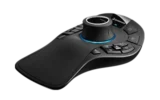
			<content:encoded><![CDATA[<p class=" "><b><span lang="EN-US">LAS VEGAS (Autodesk University, Booth #136) – Nov. 29, 2011 – </span></b><span lang="EN-US">3Dconnexion</span><span lang="EN-US"> today announced the SpaceMouse™ Pro – its newest 3D mouse </span><span lang="EN-US">for professional 3D software users working in a range of industries from mechanical engineering to media and entertainment, product design, architecture, and healthcare. SpaceMouse Pro combines </span><span lang="EN-US">3Dconnexion’s patented six-degrees-of-freedom (6DoF) sensor</span><span lang="EN-US"> </span><span lang="EN-US">for intuitive and precise 3D navigation </span><span lang="EN-US">with an advanced ergonomic design and innovative On-Screen Display, to deliver superior comfort and a simpler, more productive workflow.</span></p>
<p class=" "><span lang="EN-US">“3D mice revolutionize the way people interact with digital 3D content,” said Antonio Pascucci, vice president of products, 3Dconnexion. “We are committed to developing products that meet the needs of 3D users. SpaceMouse Pro provides a professional 3D navigation experience, enabling users to better understand their 3D content, while its new advanced ergonomic design ensures a comfortable working experience.”</span></p>
<p class=" "><span lang="EN-US">The SpaceMouse Pro 3D mouse is an easy-to-use, professional solution with advanced features, including: </span></p>
<p class=" "><span lang="EN-US">-&nbsp;&nbsp;&nbsp;&nbsp;&nbsp;&nbsp; </span><b><span lang="EN-US">Professional Navigation: </span></b><span lang="EN-US">The <b>patented six-degrees-of-freedom sensor</b> provides intuitive 3D navigation while five <b>QuickView keys </b>offer one-touch access to 12 view combinations – top, right, front, and 90-degree rotation.</span></p>
<p class=" "><span lang="EN-US">-&nbsp;&nbsp;&nbsp;&nbsp;&nbsp;&nbsp; </span><b><span lang="EN-US">Advanced Ergonomic Design: </span></b><span lang="EN-US">SpaceMouse Pro<b> </b>ensures a balanced and comfortable workflow with <b>full-size, soft-coated hand rest</b> and fifteen large, tactile and easy-to-locate buttons.</span></p>
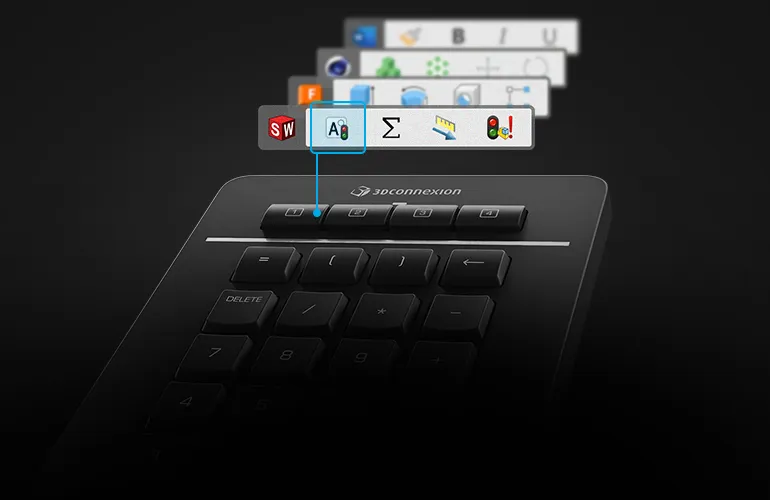
<p class=" "><span lang="EN-US">-&nbsp;&nbsp;&nbsp;&nbsp;&nbsp;&nbsp; </span><b><span lang="EN-US">Application Control: </span></b><span lang="EN-US">Four large, fully customizable <b>Intelligent Function Keys</b> provide fingertip access to frequently used application commands while the new <b>On-screen Display</b> provides visual feedback on function key assignment. In addition, SpaceMouse Pro’s <b>Keyboard Modifiers</b> provide convenient access to Control, Shift, Alt, Esc functions.</span></p>
<p class=" "><span lang="EN-US">3Dconnexion will be demonstrating the SpaceMouse Pro in booth #136 at Autodesk University 2011 in Las Vegas, Nevada, Nov. 29 – Dec. 1.</span></p>
<p class=" "><b><span lang="EN-US">About 3Dconnexion 3D Mice</span></b></p>
<p class=" "><span lang="EN-US">3Dconnexion 3D mice revolutionize the way users work with 3D applications by providing a more natural and intuitive way to interact with digital 3D content. By gently manipulating the controller cap, users can simultaneously pan, zoom and rotate their 3D models or camera position while using the standard mouse to select, create and edit. It’s an intuitive, balanced and cooperative work style that results in increased productivity, improvements in design quality and enhanced comfort. </span></p>
<p class=" "><b><span lang="EN-US">Compatibility, Pricing and Availability</span></b></p>
<p class=" "><span lang="EN-US">The SpaceMouse Pro is backed by a three-year warranty, and is currently available at a suggested retail price of $299. The SpaceMouse Pro is supported by Windows 7, Vista<sup>®</sup>, XP, Mac OS 10.4.6 or later, Sun Solaris 8 (SPARC), Sun Solaris 10 (x86/x64), and Linux<sup>®</sup> (Redhat Enterprise Linux WS 4, SuSE 9.3 or later).</span></p>
<p class=" "><span lang="EN-US">The entire 3Dconnexion product line, including the Professional Series with the SpacePilot™ Pro (MSRP $399), SpaceMouse Pro and SpaceExplorer (MSRP $299), and the Standard Series with the SpaceNavigator (MSRP $99) and SpaceNavigator for Notebooks (MSRP $129), are available from professional CAD resellers and major online resellers including CDW, Insight, PC Connection, and PC Mall. For additional information, visit </span><span lang="EN-US">www.3Dconnexion.com</span><span lang="EN-US">.</span></p>
<p class=" "><b><span lang="EN-US">About 3Dconnexion <br /> </span></b><span lang="EN-US">3Dconnexion is the leading provider of 3D mice for 3D design and visualization professionals. Supported by today’s most popular and powerful 3D applications, 3Dconnexion 3D mice offer a more intuitive and natural way to interact with digital 3D content. 3Dconnexion’s award-winning 3D mice serve a wide variety of industries and are used by engineers, designers, architects and artists worldwide. 3Dconnexion is headquartered in Munich, Germany with North American headquarters in Boston, Mass. and offices worldwide. For more information, visit </span><span lang="EN-US">www.3Dconnexion.com</span><span lang="EN-US">. </span><span lang="EN-US">You may also connect with 3Dconnexion on Facebook (</span><span lang="EN-US"><a href="http://www.facebook.com/3Dconnexion" target="_blank" >www.facebook.com/3Dconnexion</a></span><span lang="EN-US">) and Twitter (</span><span lang="EN-US"><a href="http://twitter.com/3Dconnexion" target="_blank" >twitter.com/3Dconnexion</a></span><span lang="EN-US">).</span></p>
<p class=" "><span lang="EN-US"># # #</span></p>
<p class=" "><span lang="EN-GB">© 2011 3Dconnexion. All rights reserved. 3Dconnexion, the 3Dconnexion logo, and other 3Dconnexion marks are owned by 3Dconnexion and may be registered. All other trademarks are the property of their respective owners.</span></p>
<p class=" ">&nbsp;</p>
<p class=" "><b><span lang="EN-US">Contact:</span></b></p>
<p class=" "><span lang="EN-US">Mei Antonio</span></p>
<p class=" "><span lang="EN-US">Walt &amp; Company</span></p>
<p class=" "><span lang="EN-US">mantonio@walt.com</span></p>
<p class=" "><span lang="EN-US">408-369-7200 x1063</span></p>
<p class=" ">&nbsp;</p>]]></content:encoded>
			
			
			<pubDate>Tue, 29 Nov 2011 16:15:00 +0100</pubDate>
			
		</item>
		
		<item>
			<title>3Dconnexion Introduces Intelligent 3D Navigation for Autodesk Maya</title>
			<link>http://www.3dconnexion.com/nc/company/press-room/pressdetail/article/3dconnexion-introduces-intelligent-3d-navigation-for-autodesk-maya.html</link>
			<description>New Enhancements Take 3D Modeling, Animation and Visual Effects to the Next Level</description>
			<content:encoded><![CDATA[<p class="bodytext"><b>VANCOUVER, CANADA – Aug. 9, 2011</b> – 3Dconnexion today announced its intelligent 3D navigation technology is now available in Autodesk Maya, ensuring the ultimate level of control over 3D models and scenes for digital artists in any profession or industry.<br /><br />Whether working with larger models or focusing on intricate details, the intelligent 3D navigation technology automatically determines the optimal center of rotation based on the user’s point of interest. In addition, the center of rotation can be (optionally) seen through an icon to give designers a reference point when controlling spin, tilt and roll motion, resulting in an extremely intuitive 3D navigation experience.<br /><br />“Our innovative intelligent 3D navigation feature provides unprecedented levels of control,” said Antonio Pascucci, vice president of products, 3Dconnexion. “By automatically establishing and displaying the optimal center of rotation, designers are free to focus more on the creative elements of their designs without having to think about positioning the model or navigating the scene.&quot;<br /><br />Autodesk Maya users can easily switch between different intelligent 3D navigation modes including object mode, camera mode and target camera mode to suit their project or personal preference. Additionally, the rotation center calculation can be applied to the whole model or focused on a selected part. Further features are available including Lock Horizon, Move Objects and Autokey Animation.<br /><br />In addition to intelligent 3D navigation, the latest driver update also streamlines the 3Dconnexion 3D mouse user interface within Maya. By using the Menu or Panel button on the 3D mouse, a pop-up menu is activated to centralize all 3D mouse related options into one location. The new pop-up menu simplifies the interface by grouping functions and hiding details the designer may not be interested in. The new menu also minimizes screen clutter and provides designers with a clearer view of their designs.<br /><br />3Dconnexion will be demonstrating the new intelligent navigation feature in booth #970 at SIGGRAPH 2011 in Vancouver, Canada, August 9-11.<br /><br /><b>Availability </b><br />These new features are available now in a free 3DxWare software update, and support Autodesk Maya v 8.5 to 2012 on Windows® XP, Windows Vista®, and Windows 7 across the entire product line. The 3Dconnexion product line includes the Professional Series with the SpacePilot PRO (MSRP $399) and SpaceExplorer™ (MSRP $299), and the Standard Series with the SpaceNavigator (MSRP $99) and SpaceNavigator for Notebooks (MSRP $129). For additional information, visit www.3Dconnexion.com.<br />&nbsp;<br /><b>About 3Dconnexion</b> <br />3Dconnexion is the leading provider of 3D mice for 3D design and visualization. 3Dconnexion devices support today’s most popular and powerful 3D applications by offering users a more intuitive and natural way to interact with computer-generated 3D content. 3Dconnexion’s award-winning 3D mice serve a wide variety of industries and are used by 3D designers, animators and artists worldwide. 3Dconnexion is headquartered in Munich, Germany with North American headquarters in Boston, Mass. and offices worldwide. For more information, visit www.3Dconnexion.com. You may also connect with 3Dconnexion on <a href="http://www.facebook.com/3Dconnexion" title="Opens external link in new window" target="_blank" class="external-link-new-window" >Facebook</a> and <a href="http://www.twitter.com/3dconnexion" title="Opens external link in new window" target="_blank" class="external-link-new-window" ><a >Twitter.</a></a></p>
<p class="bodytext"># # #<br /><br />© 2011 3Dconnexion. All rights reserved. 3Dconnexion, the 3Dconnexion logo, and other 3Dconnexion marks are owned by 3Dconnexion and may be registered. All other trademarks are the property of their respective owners.</p>]]></content:encoded>
			
			
			<pubDate>Tue, 09 Aug 2011 15:10:00 +0200</pubDate>
			
		</item>
		
		<item>
			<title>3Dconnexion 3D Mice Help Digital Artists Create Dazzling 3D Designs in Blender 2.59</title>
			<link>http://www.3dconnexion.com/nc/company/press-room/pressdetail/article/3dconnexion-3d-mice-help-digital-artists-create-dazzling-3d-designs-in-blender-259.html</link>
			<description>3Dconnexion 3D Mouse Support Delivers Unprecedented Control and Visualization in Blender 2.59</description>
			<content:encoded><![CDATA[<p class="bodytext"><b>VANCOUVER, CANADA – Aug. 9, 2011</b> – 3Dconnexion today announced its 3D mice are now supported by Blender 2.59, helping digital artists take their designs further by enabling previously impossible levels of interaction with their 3D content. <br /><br />“Hands down, 3Dconnexion 3D mice provide the most intuitive way to work in Blender and are a must-have tool on today’s design workstations,” said Nathan Letwory, chief technology officer, Studio Lumikuu and Blender core developer. “Using a 3D mouse in Blender, means you can position your model while simultaneously sculpting or modifying with a traditional mouse or tablet. You have to try it or see it to believe it!”<br /><br />3Dconnexion 3D mice offer a level of design interaction that’s unattainable with a traditional mouse and keyboard. Using a 3D mouse, such as the SpaceNavigator, SpaceExplorer or SpacePilot PRO, Blender users can unleash their creativity in a whole new way, while benefiting from a faster more comfortable work-style.&nbsp; &nbsp;<br /><br />3Dconnexion 3D mice also deliver a consistent navigation experience across most popular 3D applications, enabling designers to maintain their navigation workflow when changing from one application to another. The intuitive and precise control makes users feel like they’re holding the digital model in their hand. Check out what “Big Buck Bunny” has to say about 3D mice <a href="http://www.youtube.com/watch?v=lI2KIjSkbzQ" title="Opens external link in new window" target="_blank" class="external-link-new-window" >here</a>.<br /><br />“The introduction of 3D mouse support in the latest release of Blender underscores our ongoing commitment to extending the support and reach of superior 3D navigation to all 3D software users,” said Antonio Pascucci, vice president of products, 3Dconnexion. “Using Blender with a 3D mouse significantly enhances the creative design experience, giving the user a direct connection to their 3D models and worlds.” &nbsp;<br /><br />3Dconnexion will be demonstrating 3D mouse navigation in Blender in booth 970 at SIGGRAPH 2011 in Vancouver, Canada, August 9-11.<br /><br /><b>Availability</b><br />The entire 3Dconnexion product line is compatible with Blender, including the Professional Series with the SpacePilot PRO (MSRP $399) and SpaceExplorer™ (MSRP $299), and the Standard Series with the SpaceNavigator (MSRP $99) and SpaceNavigator for Notebooks (MSRP $129). For additional information, visit www.3Dconnexion.com.<br /><br /><b>About 3Dconnexion</b> <br />3Dconnexion is the leading provider of 3D mice for 3D design and visualization. 3Dconnexion devices support today’s most popular and powerful 3D applications by offering users a more intuitive and natural way to interact with computer-generated 3D content. 3Dconnexion’s award-winning 3D mice serve a wide variety of industries and are used by 3D designers, animators and artists worldwide. 3Dconnexion is headquartered in Munich, Germany with North American headquarters in Boston, Mass. and offices worldwide. For more information, visit www.3Dconnexion.com. You may also connect with 3Dconnexion on <a href="http://www.facebook.com/3Dconnexion" title="Opens external link in new window" target="_blank" class="external-link-new-window" >Facebook</a> and <a href="http://www.twitter.com/3dconnexion" title="Opens external link in new window" target="_blank" class="external-link-new-window" >Twitter</a>.<br /><br /># # #<br /><br />© 2011 3Dconnexion. All rights reserved. 3Dconnexion, the 3Dconnexion logo, and other 3Dconnexion marks are owned by 3Dconnexion and may be registered. All other trademarks are the property of their respective owners.<br /><br /></p>]]></content:encoded>
			
			
			<pubDate>Tue, 09 Aug 2011 15:04:00 +0200</pubDate>
			
		</item>
		
	</channel>
</rss>